IT & Technology Overview
IT systems for accounting, payroll, invoicing, communication, client relationship management, board management and evaluation are all ways for organisations to manage their operational functions more efficiently. However, it is important to be aware of cyber security and minimising the risk of cyber security breaches.
What is IT & Technology?
IT and technology covers the systems, tools, and processes that support your organisation’s day-to-day work.
It includes:
- hardware such as computers and devices
- software and online tools
- data storage and management
- cybersecurity and online safety
- privacy and data protection
- cloud-based systems and collaboration tools
- digital infrastructure that supports your operations
- your website
👉 Your website should be easy to navigate and clearly communicate your purpose.
Why is IT & Technology Important?
Strong IT and technology practices help organisations:
- work more efficiently and collaboratively
- keep information safe and secure
- reduce risk and meet legal obligations
- support staff and volunteers to do their work effectively
- adapt to new ways of working and communicating
- measure and improve client and community outcomes
- build trust and reputation
Tips for Managing IT & Technology
- choose tools that are simple and fit your organisation’s needs
- keep systems updated and secure
- use strong passwords and manage access carefully
- consider a password manager to ensure strong, secure, convenient passwords
- store and back up data safely
- provide guidance for staff and volunteers
- review your systems regularly and make improvements over time
TechSoup Resources

TechSoup has a collection of low or no-cost resources designed to help not-for-profits use technology effectively and is free to join and access.
It is connected to Infoxchange, an Australian-based not-for-profit social enterprise dedicated to using technology to improve the lives of people experiencing disadvantage and the organisations that support them.
Training
Designed specifically for the needs of people working in not-for-profits, with most free to attend:
- On-demand courses – complete at your own pace and in own time
- Webinars – particular dates and times where you can contribute and ask questions
- Webinar recordings – watch at a time that suits you
- Digital Capability Assessments – see where your needs are individually or as an organisation
Resources/Guides
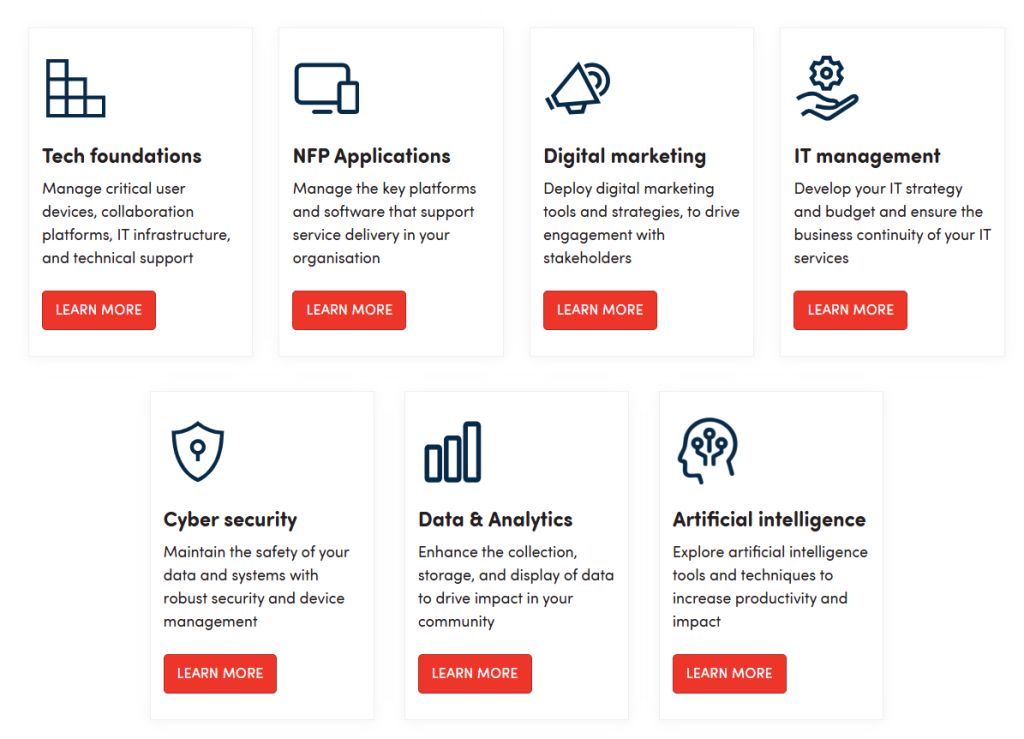
TechSoup has an extensive library of free guides on the following topics:
Other Useful Websites

Digital Stuff We Love – discover clever, budget-friendly digital tools, most of which are free or low cost, tailored for not-for-profits.

NZ Navigator – assess your organisation’s capability, including digital and systems.
Digital.govt.nz – a guide to information and tools to support digital transformation across government.
Data, Privacy & Security
Protecting information is a core responsibility for all organisations. You need to understand data privacy if you are working with data about people. The Privacy Act 2020 provides rules that you must comply with when collecting and using the data.
Data & Privacy video – a great 6 minute video covering how to protect yourself and your organisation with precautions to mitigate risk – Digital Boost
Privacy Commissioner
www.privacy.org.nz has a lot of information about privacy. For example:
- Complying with the Privacy Act – your organisation’s obligations under the Privacy Act
- Collecting and holding personal information
- Webinars – from ‘Privacy Week’ each May, featuring five days of free sessions to promote privacy awareness, with all webinars archived and available to watch anytime
- Resources and Learning – some very useful resources, including free e-learning and Ask Us for questions
- Other information
National Cyber Security Centre (NCSC)
Works to improve resilience to cyber security threats and to mitigate cyber risks:
- Protect your organisation – practical cyber security advice, controls and guidance to support and protect your organisation
- Incident response – reporting incidents such as online scams, malware, unauthorised access, data breaches, ransomware, and more.
- Alerts – time sensitive announcements about specific cyber threats, vulnerabilities and scams. Each alert has information you need to be aware of, and what actions to take to mitigate any risk to you or your organisation.
- Own your online – practical tips and tools for online security for individuals and organisations
- Online security policy – all organisations should have an online security policy so your staff know how it fits into their work, and customers know how you protect their information
Privacy, security and risk – advice, guidance and tools to help government agencies improve their privacy capability and maturity – digital.govt.nz
👉 If your organisation has a privacy breach that has (or might) cause serious harm then you need to notify the Privacy Commissioner here.
This is a legal obligation under the Privacy Act.
Ideally you’ll do that within 72 hours after you’re aware that you have a notifiable breach, even if you’re still investigating it.
If you are unsure if it needs to be reported, you can use their Privacy breach self-assessment.
Password Managers
Password managers store your passwords securely and help you create strong, unique passwords for each account. This reduces security risks and makes it easier for staff and volunteers to follow good practice.
Common tools include LastPass and Bitdefender, or Okta for larger organisations to manage access across multiple systems.
👉 You can get a discount on Okta as they offer NFP discounts (listed on our Business Heroes Directory)
👉 You can get a discount on Bitdefender with TechSoup.
How to choose a password manager – NZ Navigator Trust via CommunityNet
Digital Platforms and Tools
There are so many time-saving tools available online that can make your operations more efficient and professional, helping you spend less time on administration and more on your mission – from productivity to marketing and project management.
👉 Many of these providers offer significant discounts or free access for non-profits. Those that we have used and are familiar with are listed in our Business Heroes Directory in the category Digital Platforms and Tools.
Read more about tools we’d recommend on our dedicated resource page:
Other Technology Discounts

Business Heroes Directory – this directory, facilitated by SociaLink, has local organisations who can help you with aspects of IT and technology, and are prepared to give you a special offer or discount – e.g. IT support, web design and cyber security.
👉 Look under the categories Creative and Web, Professional Services, and Technology.
TechSoup – You can access significant discounts on IT hardware and software here.
Further Training and Support

SociaLink Workshops – we often run free or low-cost training and development workshops on digital tools.
👉 See upcoming workshops here.
SociaLink Operations Support (SOS) – for a significantly discounted per hour rate, you can have our IT expert come to your organisation and help you with your IT and technology projects
TechSoup advice – including one-on-one consultation sessions
TechSoup Community – opportunities to speak with like-minded NFP staff and volunteers to share and learn from each other
TED Talks – a collection of presentations on the topics of Cyber Security, Technology and AI.